
Appearance
Why overflow hidden is not clipping an absolute child
When overflow: hidden is not clipping an absolute child, the child's containing block is outside the element with the overflow. An absolutely positioned box belongs to its nearest positioned ancestor, not to its parent, and overflow only clips descendants whose containing block is the overflow element itself or something inside it. Add position: relative to the element that sets overflow and the child is clipped again. The same rule decides what overflow: auto scrolls, which is how an invisible radio button gave the FilamentCraft editor two scrollbars until v1.29.0.
The spec rule behind overflow hidden not clipping an absolute child
The CSS 2 definition of overflow in section 11.1.1 says it "affects the clipping of all of the element's content except any descendant elements (and their respective content and descendants) whose containing block is the viewport or an ancestor of the element."
For a normal in-flow child, the containing block is its parent, so the parent's overflow applies. For position: absolute, MDN's containing block page gives the rule: the padding box of the nearest ancestor whose position is not static. A few other properties also create one: transform, filter, perspective, contain: paint or layout, and will-change naming one of those.
Put the two together and the behaviour follows. In this markup the child escapes:
html
<div style="position: relative">          <!-- containing block -->
  <div style="overflow: hidden; height: 100px">  <!-- not positioned -->
    <div style="position: absolute; top: 150px">I am not clipped</div>
  </div>
</div>
The overflow element sits between the child and its containing block, so it is an ancestor in the DOM but not in the containing-block chain. The spec excludes exactly that case. CSS-Tricks has a write-up of the same rule used on purpose, to let dropdown menus escape a clipped navigation bar.
Our version: two scrollbars in a settings panel
The FilamentCraft editor has a left rail that shows the section list or the settings for whatever is selected. The rail pane is a scroll container positioned over the rail:
css
.fc-editor__rail-pane {
    position: absolute;
    inset: 0;
    display: flex;
    flex-direction: column;
    min-height: 0;
    overflow-y: auto;
    overflow-x: hidden;
}
Inside it, the settings panel has a sticky header and a body that scrolls on its own, so the header stays put while you work through a long form. Before the fix, that body had overflow-y: auto and no position.
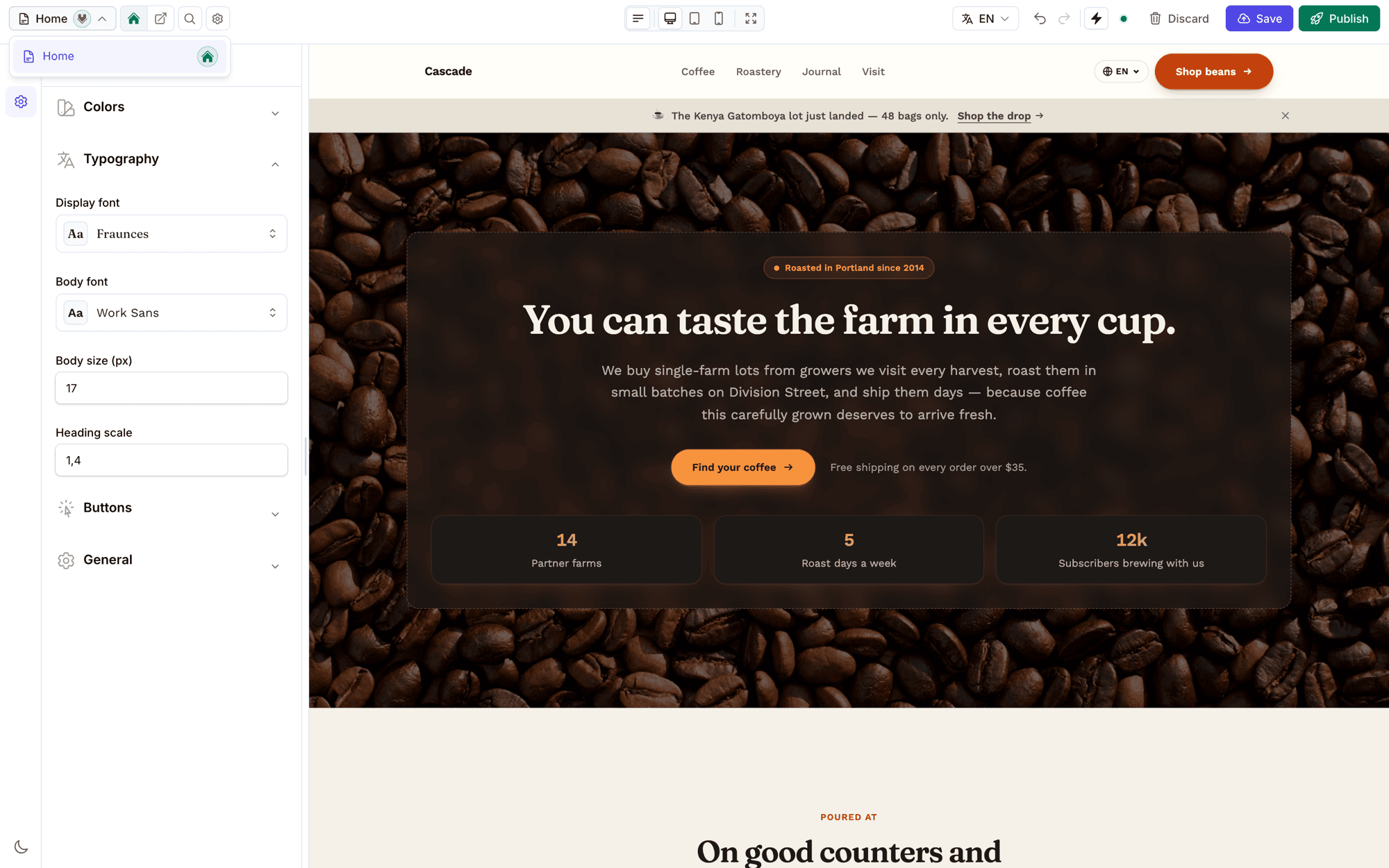
The forms in that body are Filament schemas, and two Filament components render an absolutely positioned element with no positioned wrapper around it. We checked both in Filament 4.11's compiled theme:
- Toggle buttons hide the real radio input with
.fi-fo-toggle-buttons .fi-fo-toggle-buttons-input { pointer-events: none; opacity: 0; position: absolute }. Its wrapper,.fi-fo-toggle-buttons-btn-ctn, has noposition. - A collapsed section keeps its content in the DOM with
.fi-section.fi-collapsed > .fi-section-content-ctn { visibility: hidden; height: 0; position: absolute; overflow: hidden }.
Neither sets top or left, so each sits at its static position, the spot it would have taken in normal flow. That spot is inside the body's content, which may be far below the body's visible area once a settings group is expanded. The nearest positioned ancestor was the rail pane. By the rule above, the body neither clipped these boxes nor counted them toward its own scroll height. The rail pane did count them, because it was their containing block and a scroll container, so it grew a scrollable area of its own and showed a second scrollbar next to the body's.
Two properties made it harder to see. The boxes had opacity: 0 or visibility: hidden, and neither removes a box from layout, so the elements pushing the scroll area were invisible. And the bug needed a settings group containing toggle buttons or a collapsed section to be expanded, so it came and went depending on which section you clicked.
The fix is one declaration
The fix makes the scrolling body the containing block for everything inside it:
css
.fc-settings-panel__body,
.fc-settings-panel__empty {
    position: relative;
    flex: 1;
    min-height: 0;
    overflow-y: auto;
}
With position: relative, the body is now the nearest positioned ancestor of Filament's hidden inputs and collapsed sections. They are clipped by it and scroll with it, and the rail pane never sees them. The v1.29.0 CHANGELOG entry lists it under fixes as "Two scrollbars in the editor's settings rail".
We left a comment on that rule in the source saying the declaration is load-bearing. position: relative with no offsets does nothing visible, which makes it the kind of line a later cleanup deletes.
Other ways to create the containing block work too. contain: paint also clips, and transform: translateZ(0) also creates a containing block, but both have side effects (paint containment clips everything, including focus rings that spill out; a transform creates a stacking context and changes how position: fixed descendants behave). For a scroll container, position: relative is the cheapest option.
Finding the escaping element
When a scroll container shows a scrollbar with nothing visible to scroll to, look for absolutely or fixed positioned descendants whose offsetParent is outside the container. For an absolutely positioned element, offsetParent is its nearest positioned ancestor; for a fixed one it is null. Paste this into the console with your container's selector:
js
const box = document.querySelector('.your-scroller');

for (const el of box.querySelectorAll('*')) {
    const { position } = getComputedStyle(el);

    if ((position === 'absolute' || position === 'fixed') && ! box.contains(el.offsetParent)) {
        console.log(el, el.offsetParent);
    }
}
Every element it logs escapes the container's clipping. offsetParent follows the position property, so an ancestor that creates a containing block only through transform or contain can make the result differ. Treat the list as a starting point.
The mirror image: clipping you did not want
The same rule, read the other way, explains a dropdown that gets cut off. When the element with overflow: hidden is the popup's containing block, or an ancestor of it, the popup is clipped no matter how far it wants to extend. We hit that version too, in the section builder, and wrote it up in why a Filament select dropdown gets cut off. Both bugs come down to which element is the containing block.
Where this lives in FilamentCraft
The settings rail is part of the editor described in the editor guide, and the editor internals page covers how the rail, canvas and iframe preview are put together. You can open the rail and expand a few settings groups yourself on the live demo.