
Appearance
Custom Sections
Drop a class anywhere on the autoloader, extend BladeSection, and FilamentCraft renders it in the editor and on published pages — the same pipeline the built-in sections use.
Looking for the no-code route?
This page is for sections you write in PHP. If the section is a composition of copy, images, and layout rather than logic, your users can build it themselves in the browser — see the No-Code Section Builder.
A minimal section
php
namespace App\Sections;

use FilamentCraft\Sections\BladeSection;
use FilamentCraft\Settings\Types\Image;
use FilamentCraft\Settings\Types\Text;
use FilamentCraft\Settings\Types\Textarea;

final class TestimonialSection extends BladeSection
{
    protected static string $view = 'sections.testimonial';

    public static function slug(): string
    {
        return 'testimonial';
    }

    public static function name(): string
    {
        return 'Testimonial';
    }

    public static function settings(): array
    {
        return [
            Textarea::make('quote')->label('Quote')->required(),
            Text::make('author')->label('Author')->required(),
            Image::make('avatar')->label('Avatar'),
        ];
    }

    public static function defaults(): array
    {
        return [
            'settings' => [
                'quote' => 'A useful quote about the product.',
                'author' => 'Customer Name',
            ],
            'blocks' => [],
        ];
    }
}
Less boilerplate than it looks
slug(), name(), and category() all have smart defaults derived from the class name — TestimonialSection auto-derives slug testimonial and name Testimonial, so the true minimum is $view plus your settings(). We still recommend declaring slug() explicitly: the slug is persisted into every saved template, so pinning it means a later class rename can't orphan existing content.
The matching Blade view (resources/views/sections/testimonial.blade.php) receives a $section data object:
blade
<figure class="px-6 py-12 text-center">
    <blockquote class="text-2xl">{{ $section->settings->get('quote') }}</blockquote>
    <figcaption class="mt-4 text-sm text-gray-500">{{ $section->settings->get('author') }}</figcaption>
</figure>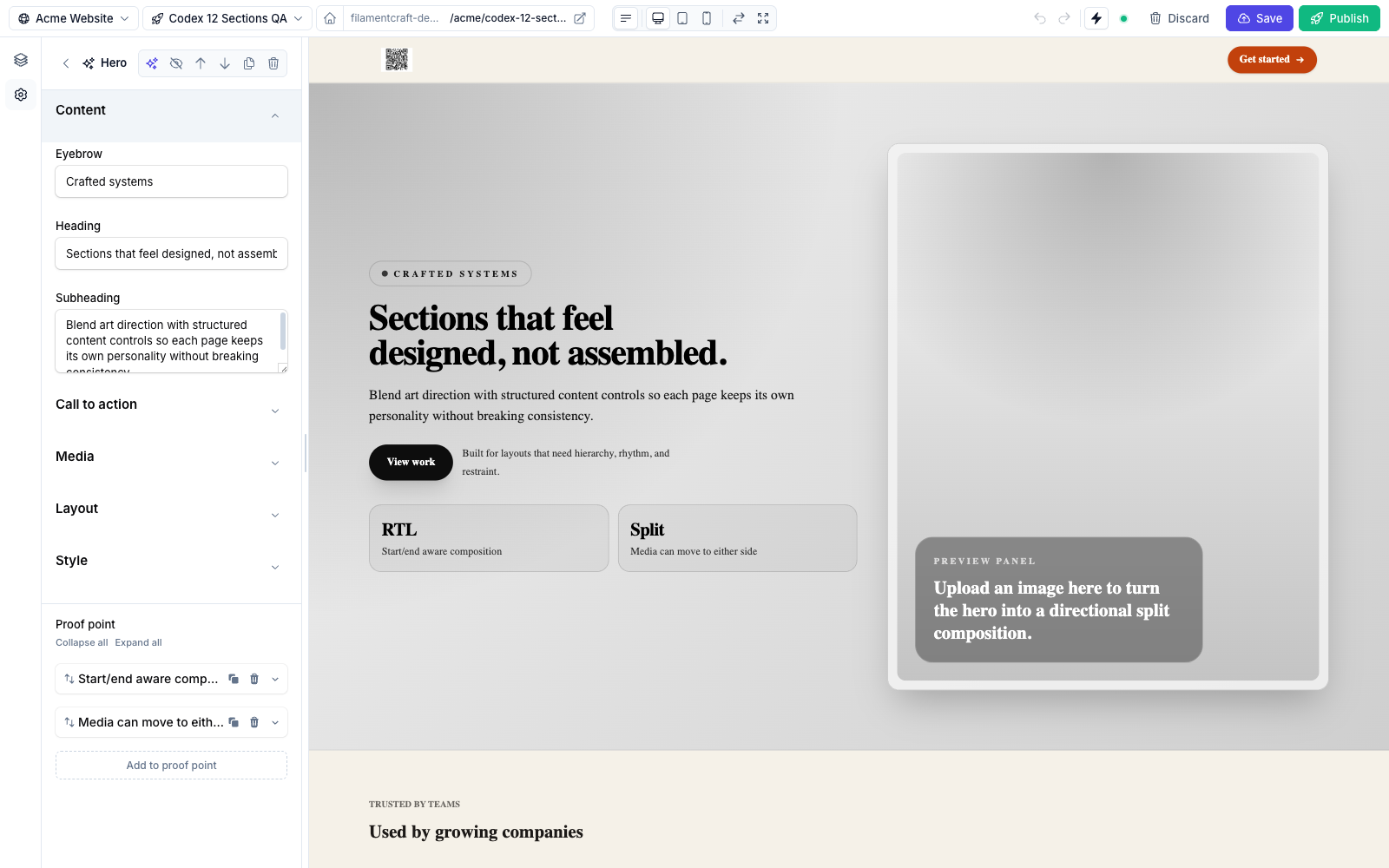
Scaffold it
php artisan make:filamentcraft-section Testimonial generates the class and Blade view (or a Livewire class with --livewire). See Make Commands.
The Section contract
BladeSection implements FilamentCraft\Sections\Contracts\Section via the SectionSchema trait, which supplies sensible defaults for everything except the view. Override only what you need:
| Method | Returns | Default | Purpose |
|---|---|---|---|
slug() | string | kebab of class name minus -section | Stable id stored in revisions. |
name() | string | headline of the slug | Display label in the catalog. |
category() | string | 'general' | Catalog grouping. |
description() | ?string | null | Sub-label in the catalog. |
icon() | string | heroicon-o-puzzle-piece | Catalog icon. |
maxBlocks() | int | 16 | Cap on total blocks across all block types. |
cacheable() | bool | true | Whether the published render may be fragment-cached. Return false when output depends on the request, the session (a cart), or a fresh CSRF token. |
wrapper() | string | 'section' | The HTML tag/selector wrapping the rendered output. |
settings() | array | [] | The settings schema (see below). |
blocks() | array | [] | Repeatable child blocks. |
presets() | array | [] | Named starting points. |
enabledOn() | array | ['*'] | Template types the section is offered on. |
disabledOn() | array | [] | Template types to exclude. |
previewImageUrl() | ?string | null | Catalog thumbnail. |
defaults() | array | ['settings' => [], 'blocks' => []] | Initial content when added. |
slug(), name(), settings(), and defaults() are the ones you'll usually define. In defaults(), omitting the settings or blocks key is safe since v1.19 — a missing key degrades to an empty set. For the catalog thumbnail, instead of overriding previewImageUrl() you can set a protected static ?string $previewImage property — full URLs, data: URIs, and absolute paths pass through as-is, and relative paths resolve through asset().
A broken section can't take down the page (v1.19+)
If your section throws while rendering — a missing Blade view, a bad method call — the editor preview shows a "failed to render" card naming the error, and published pages report the exception and skip the section instead of returning a 500. Intentional abort()s still propagate.
Because the published page keeps serving, a failure there is easy to miss. FilamentCraft records it per site, so the next time you open the editor you get a warning naming the sections that failed on the live site, and filamentcraft:doctor lists them with the message and a count. The report itself carries the site, section type, mode and locale, so an error tracker names the page that lost content.
On a staging host you may prefer the hole to be visible:
php
// config/filamentcraft.php
'rendering' => [
    'show_errors' => env('FILAMENTCRAFT_SHOW_RENDER_ERRORS', false),
],
With it on, a published page renders the same failure card the editor shows — including for a section type that is no longer registered. Leave it off in production: the card prints the exception message.
Settings
settings() returns an array of setting types. It can mix the FilamentCraft DSL with raw Filament v4 components — the compiler wires live() on every leaf field so the preview keeps updating, and resolves visibility from either the DSL's visibleIf([...]) shortcut or Filament's native visible(Closure) callback.
php
use Filament\Forms\Components\Toggle;
use Filament\Schemas\Components\Utilities\Get;
use FilamentCraft\Settings\Types\Group;
use FilamentCraft\Settings\Types\Text;

public static function settings(): array
{
    return [
        Group::make('content')->label('Content'),
        Text::make('heading')->label('Heading')->default('Welcome'),

        Group::make('cta')->label('Call to action')->collapsed(),
        Toggle::make('cta_enabled')->label('Show button')->default(true),
        Text::make('cta_label')->label('Button label')
            ->visibleIf(['cta_enabled' => true]),                       // DSL shortcut
        Text::make('cta_note')->label('Note')
            ->visible(fn (Get $get): bool => (bool) $get('cta_enabled')), // native closure
    ];
}
Use Group to break a long form into labelled clusters — see Layout & Structure.
Blocks
A block is a repeatable child item (a nav link, a pricing plan, a quote). Declare them with Block::make('slug'), each with its own settings schema and an optional limit:
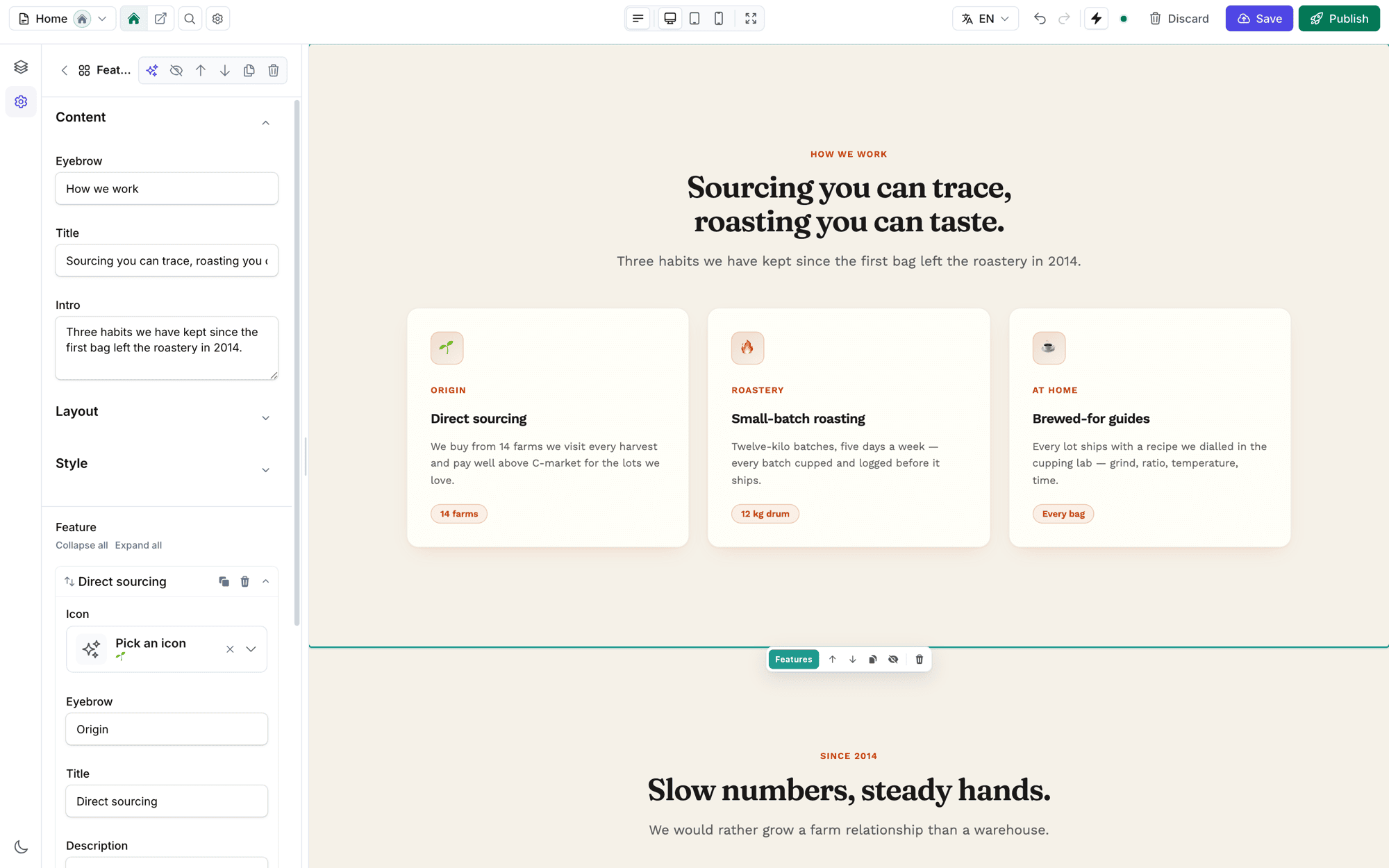
Icon, two Text fields and a description.php
use FilamentCraft\Sections\Block;
use FilamentCraft\Settings\Types\Text;
use FilamentCraft\Settings\Types\Link;

public static function blocks(): array
{
    return [
        Block::make('nav-link')
            ->name('Nav link')
            ->limit(6)
            ->settings([
                Text::make('label')->label('Label')->default('Page'),
                Link::make('url')->label('URL')->default('/'),
            ]),
    ];
}
Read blocks in the Blade view from $section->blocks. The maxBlocks() cap (default 16) limits the total number of blocks added to one section instance, across every block type.
Presets
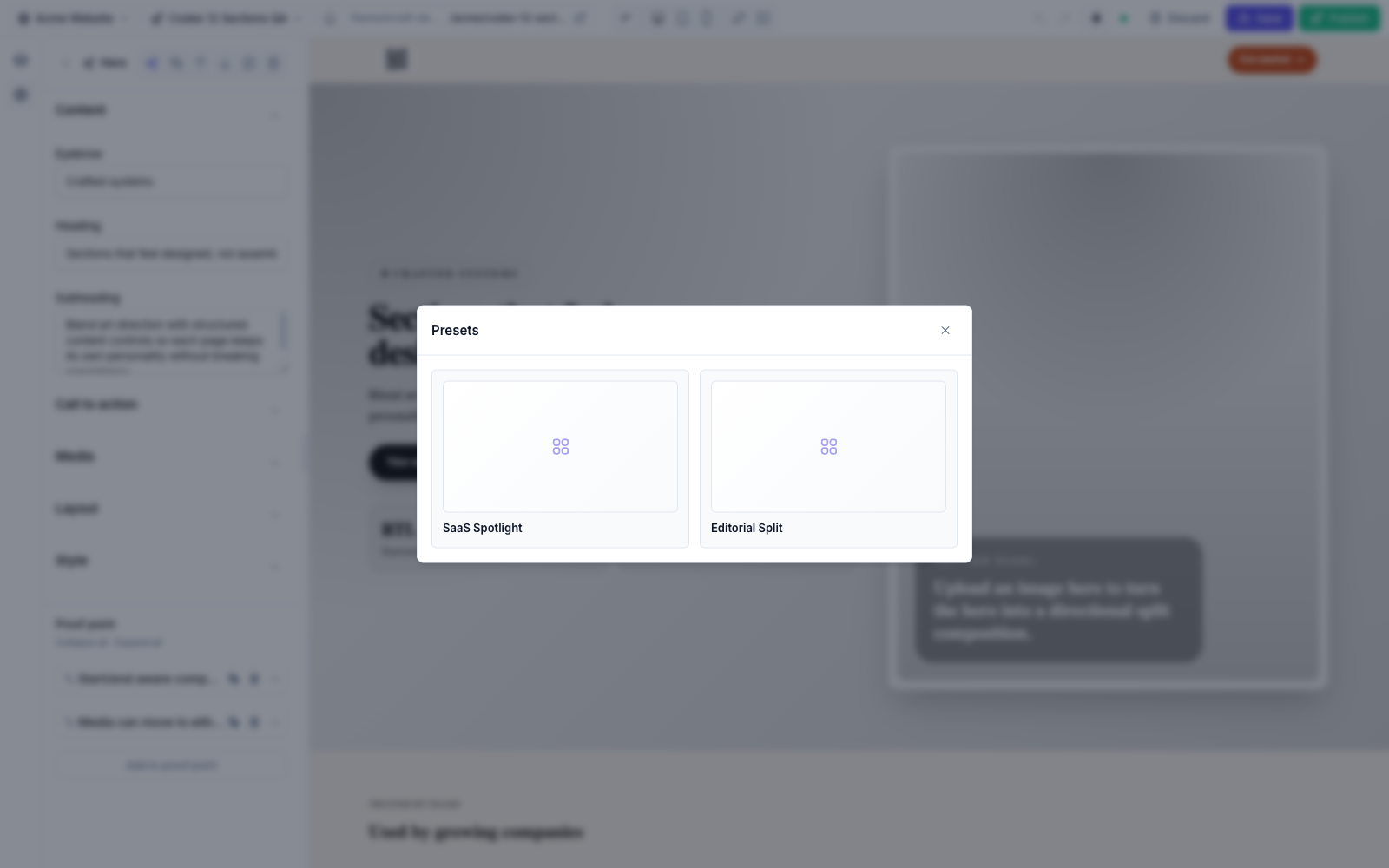
A preset is a named bundle of settings and blocks the editor can apply in one click. Return Preset objects from presets():
php
use FilamentCraft\Sections\Preset;

public static function presets(): array
{
    return [
        Preset::make('split-header', 'Split Header')
            ->settings([
                'brand_text' => 'Acme',
                'cta_enabled' => true,
            ])
            ->blocks([
                ['id' => 'nav-1', 'type' => 'nav-link', 'settings' => ['label' => 'Product', 'url' => '/product']],
                ['id' => 'nav-2', 'type' => 'nav-link', 'settings' => ['label' => 'Pricing', 'url' => '/pricing']],
            ]),
    ];
}
In the editor, presets surface behind the Browse presets button on the section's header — each one is a one-click starting point.
Join the four style families
Every built-in section slugs its presets modern / editorial / bold / elegant — the four style families the starter-site seeder builds from. Slug your presets the same way and blueprints can pre-fill your section per family with BlueprintSection::fromPreset(YourSection::class, $familySlug) — the same mechanism the starter site uses.
Registering a section
Two ways — both are calls on the plugin instance in your panel provider:
php
use FilamentCraft\FilamentCraftPlugin;

public function panel(Panel $panel): Panel
{
    return $panel->plugin(
        FilamentCraftPlugin::make()
            ->registerSection(\App\Sections\TestimonialSection::class)
            // …or auto-discover a whole directory:
            ->discoverSectionsIn(app_path('Sections'))
    );
}
The conventional path app/Sections/ is auto-scanned with no extra config.
Both methods accept an optional second $prefix argument — ->registerSection(TestimonialSection::class, 'acme') registers the section under the namespaced slug acme::testimonial, keeping a vendor pack's slugs from colliding with yours.
Prefer config? The same registration works from config/filamentcraft.php:
php
'sections' => [
    'register' => [\App\Sections\TestimonialSection::class],
    'paths' => [app_path('Sections')], // or path => prefix pairs
],
Extending a built-in section
The fastest and safest route is the guided customization command:
bash
php artisan filamentcraft:customize-sectionIt can create a separate variant, replace a built-in everywhere while preserving existing section data, and optionally copy only the source Blade view. See the complete Customizing Built-in Sections guide.
The generated result follows the same manual pattern: the bundled sections are intentionally subclassable, and the subclass overrides only what needs to change:
php
namespace App\Sections;

use FilamentCraft\Sections\Builtin\HeroSection;

class ProductHeroSection extends HeroSection
{
    protected static string $view = 'sections.product-hero';

    public static function slug(): string
    {
        return 'product-hero';
    }

    public static function name(): string
    {
        return 'Product hero';
    }
}
Register the subclass with ->registerSection(ProductHeroSection::class). It inherits the parent's settings, blocks, and presets unless you override those methods too.
Styling your section
A public page loads the package's prebuilt site.css. Its Tailwind utilities are the ones the built-in sections use, plus a small safelist for layout. Your section's markup was never scanned to build it, so a utility the package doesn't use itself (min-w-5, -top-1, line-clamp-1) or any arbitrary value (text-[11px]) is simply absent, with no error. Style host sections with your own stylesheet: compile your Tailwind and add it through filamentcraft.assets.extra_styles, or register your Vite build (see Preview & Public Assets). After updating the package, run php artisan filamentcraft:upgrade so the published site.css isn't a stale copy.
Interactive sections (Livewire)
When a section needs live behaviour — a counter, a newsletter sign-up, an add-to-cart button — extend LivewireSection instead of BladeSection. It is a Livewire component, so it has its own public state and wire actions, while still being a fully-registered section with the same settings()/blocks()/presets() schema as any other.
Ships out of the box
FilamentCraft already ships two interactive sections — Newsletter (newsletter) and Contact form (contact) — see Built-in Sections. The example below mirrors how the shipped NewsletterSection is built, so you can copy it as the starting point for your own. The shipped versions dispatch NewsletterSubscribed / ContactFormSubmitted events instead of the inline // …persist… placeholder — listen for those to wire up persistence.
php
namespace App\Sections;

use FilamentCraft\Sections\LivewireSection;
use FilamentCraft\Settings\Types\Text;

final class NewsletterSection extends LivewireSection
{
    protected static string $view = 'sections.newsletter';

    public string $email = '';

    public bool $subscribed = false;

    public static function slug(): string
    {
        return 'newsletter';
    }

    public static function settings(): array
    {
        return [
            Text::make('heading')->label('Heading')->default('Join the list'),
        ];
    }

    public function subscribe(): void
    {
        $this->validate(['email' => 'required|email']);

        // …persist the subscriber…

        $this->subscribed = true;
    }
}
No render() override is needed — the base LivewireSection::render() renders static::$view, and Livewire hands every public property ($section, $email, $subscribed) to the view automatically.
The view must open with the root element
Because the section is a Livewire component, it inherits Livewire's single-root-tag rule: nothing may print above the first tag in the view — no @if, @foreach, @unless, no HTML comment, nothing.
This is the one rule worth memorising, because breaking it does not reliably throw. Blade compiles a conditional into <!--[if BLOCK]> marker comments, and one of those above the root leaves Livewire attaching wire:id to a node its morph diff never aligns against. The section renders, server-rendered clicks work, and every control inserted by a later update is inert — no console error, no failed request.
blade
{{-- Wrong: the @if prints marker comments above the root --}}
@if ($items->isEmpty())
    @php return; @endphp
@endif
<div class="pricing-plans">…</div>
blade
{{-- Right: a @php block emits nothing, so the condition moves onto the root --}}
@php
    $hidden = $items->isEmpty() && ! $section->designMode;
@endphp

<div class="pricing-plans" @if ($hidden) hidden @endif>…</div>
With APP_DEBUG=true FilamentCraft catches both shapes and throws naming your class and view path, instead of leaving you with Livewire's context-free RootTagMissingFromViewException — or, in the silent case, with no error at all.
blade
{{-- resources/views/sections/newsletter.blade.php --}}
<form wire:submit="subscribe" class="mx-auto max-w-md px-6 py-12 text-center">
    <h2 class="text-2xl">{{ $section->settings->get('heading') }}</h2>

    @if ($subscribed)
        <p class="mt-4 text-green-600">Thanks — you're in!</p>
    @else
        <input type="email" wire:model="email" class="mt-4 w-full rounded border p-2">
        <button type="submit" class="mt-3 rounded bg-black px-4 py-2 text-white">Subscribe</button>
    @endif
</form>
The injected $section data object survives every wire action — it is serialized to a primitive payload on dehydrate and rebuilt (settings, blocks, site, locale, color scheme, and any route-model bindings on the render context) on the next request, so $section->settings->get(...) keeps working after a wire:click/wire:submit. Declare any extra state you need ($email, $subscribed above) as ordinary public properties.
Scaffold it
php artisan make:filamentcraft-section Newsletter --livewire generates a LivewireSection class and its view ready to fill in.
Assets (Livewire & Alpine)
You do not wire Livewire or Alpine into the site layout yourself. FilamentCraft's shell injects the Livewire/Alpine runtime (Alpine is bundled inside Livewire's JS) automatically — but only on pages that need it: any page whose sections, header, or footer contain a Livewire component or raw Alpine directives. Purely static marketing pages stay JS-free. Do not add @livewireScripts/@livewireStyles to the shell yourself, and do not load your own copy of Alpine or Livewire — a second instance trips the framework's "multiple instances running" error.
Raw Alpine in a BladeSection
Alpine only initializes markup that sits inside an x-data scope, so FilamentCraft wraps any section whose rendered HTML uses Alpine (@click, x-show, x-on:*, :class, x-transition, …) in an x-data root automatically — your directives come alive on the live site with nothing extra to add. Two rules follow:
- Don't put
x-dataon your section's outermost element — the wrapper already supplies the root. Usex-dataonly on inner elements that need their own state. - Inline at least one Alpine directive in the output. Detection is by markup, so a section whose Alpine lives only in an externally-registered
Alpine.data(...)(with no directive in the rendered HTML) won't be detected. Add an inline directive, or setfilamentcraft.sections.alpine_root => falseand root your sections by hand.
Keep changing values out of x-data
Livewire re-renders the whole component on every action. If a value inside an x-data attribute changes between renders, Alpine rebuilds that component's state, so an open drawer closes itself the moment the visitor removes a cart line. Seed changing values from a data attribute instead:
blade
<div data-cart-count="{{ $count }}"
     x-data="{ cartCount: 0, open: false, init() { this.cartCount = Number(this.$el.dataset.cartCount) } }">
The root that FilamentCraft adds for you is static, so state kept there is always safe.
If you ever need to force the assets onto a route that has no component yet (rare), call \Livewire\Livewire::forceAssetInjection() from a service provider or route. To add your own bundles (Flux, a Vite entry), push them onto the layout's @stack('fc-head') / @stack('fc-scripts') from the page that renders <x-filamentcraft::layout>.
Stacks vs. cached fragments
Published section HTML is rendered (and may be cached) as a standalone fragment, separate from the layout pass — so a @push('fc-scripts') inside a section view will not reach the layout's @stack. Push page-level assets from the page Blade that wraps the layout, not from a section.
Related
- Built-in Sections — the 25 shipped content sections and their settings.
- Setting Types — every input you can put in
settings(). - Curating the Catalog — control which sections appear.
- Testing Sections — the
SectionDataFactoryfor Pest tests.