
Appearance
SEO & AI Search
Published pages are server-rendered with no client-side JavaScript, so every crawler — Googlebot, GPTBot, ClaudeBot, PerplexityBot — sees the full content on the first request. Nothing on this page needs configuration to work; it describes what you get by default and which knobs exist if you want them.
What's automatic
Every published page emits, with no configuration:
- A per-page
<title>and<meta name="description"> - A self-referential
<link rel="canonical"> - Open Graph tags (
og:title,og:description,og:image+og:image:alt,og:url,og:type,og:locale, and anog:locale:alternateper other language) - A
twitter:card(large image when a share image is set) withtwitter:image:alt hreflangalternates for every locale a multi-locale site serves, includingx-default- JSON-LD structured data:
WebPageon every page (datePublishedfrom the page's creation,dateModifiedfrom the published revision), plusWebSiteandOrganizationon the homepage,BreadcrumbListfor nested slugs,Producton dynamic product pages,FAQPagefrom any FAQ section,LocalBusinessper block of a Locations section (withgeowhen the coordinates parse), andVideoObjectfor a Video section that has a cover image
Hosts that render their own dynamic pages through <x-filamentcraft::layout> (cart, checkout, account) get the site-level defaults automatically, defaulting to noindex for those utility pages.
Per-page SEO
In the editor, open the Settings cog in the topbar and choose SEO — the modal has two tabs.
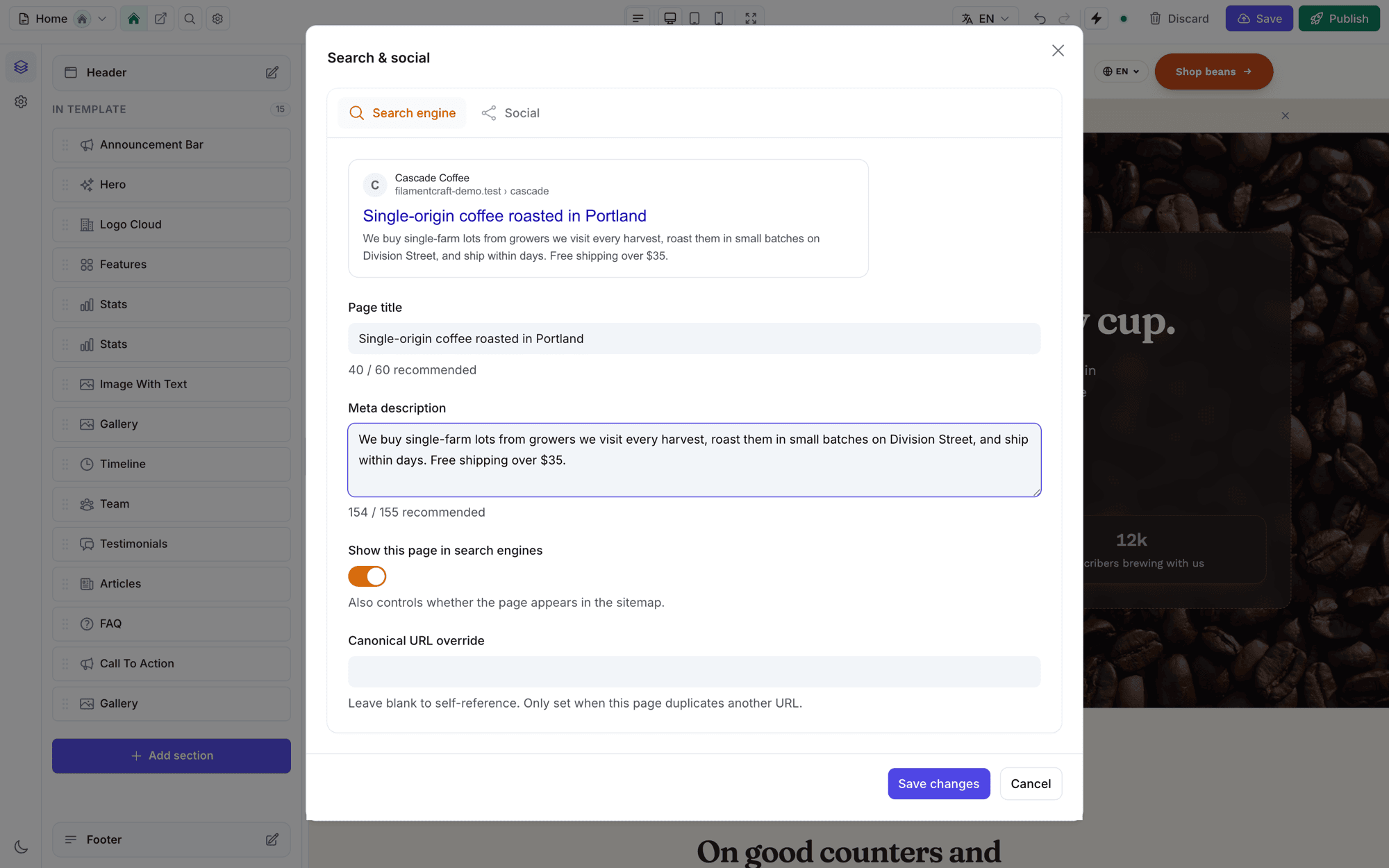
Search engine shows a live Google-style preview that updates as you type, character counters against the recommended lengths (~60 for the title, ~155 for the description), a canonical URL override for the rare page that duplicates another URL, and one indexing switch:
Show this page in search engines controls the
noindexrobots meta and whether the page appears in the sitemap — a single toggle, so the two can never disagree.
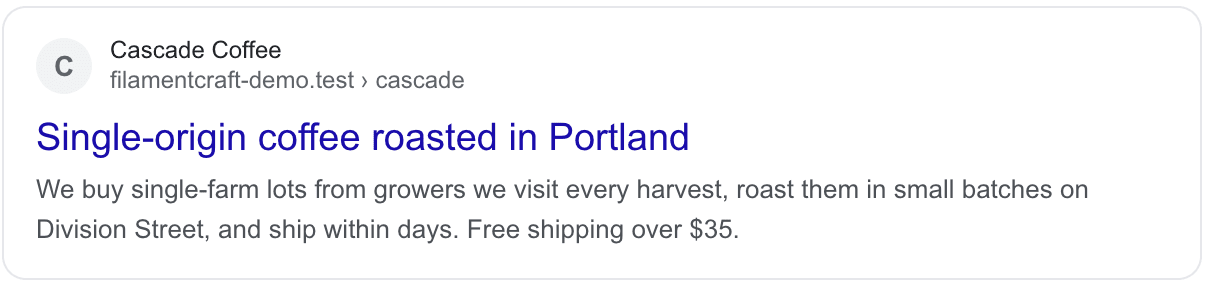
The preview renders the real snippet — site monogram, breadcrumb path, and the truncation searchers will actually see:
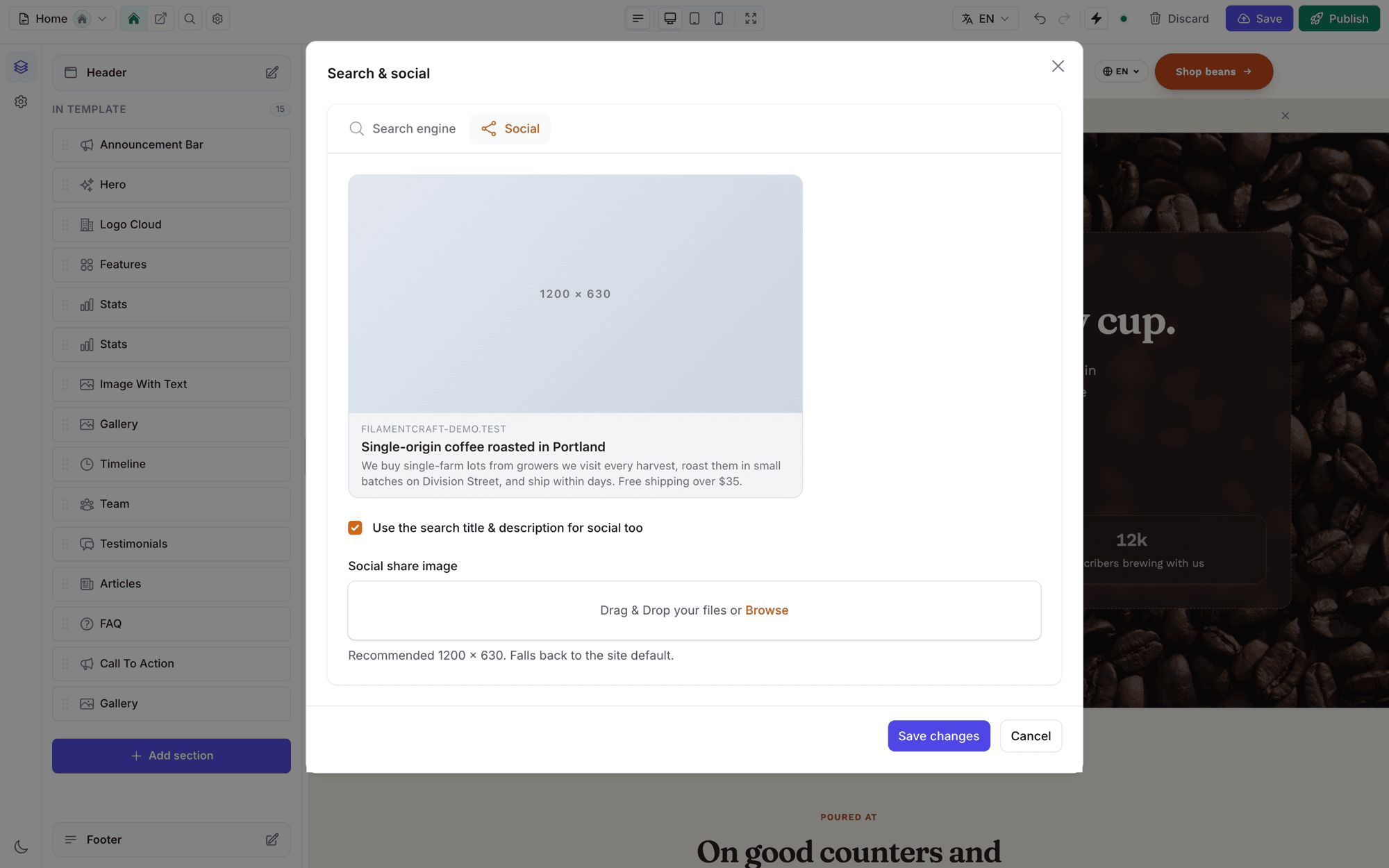
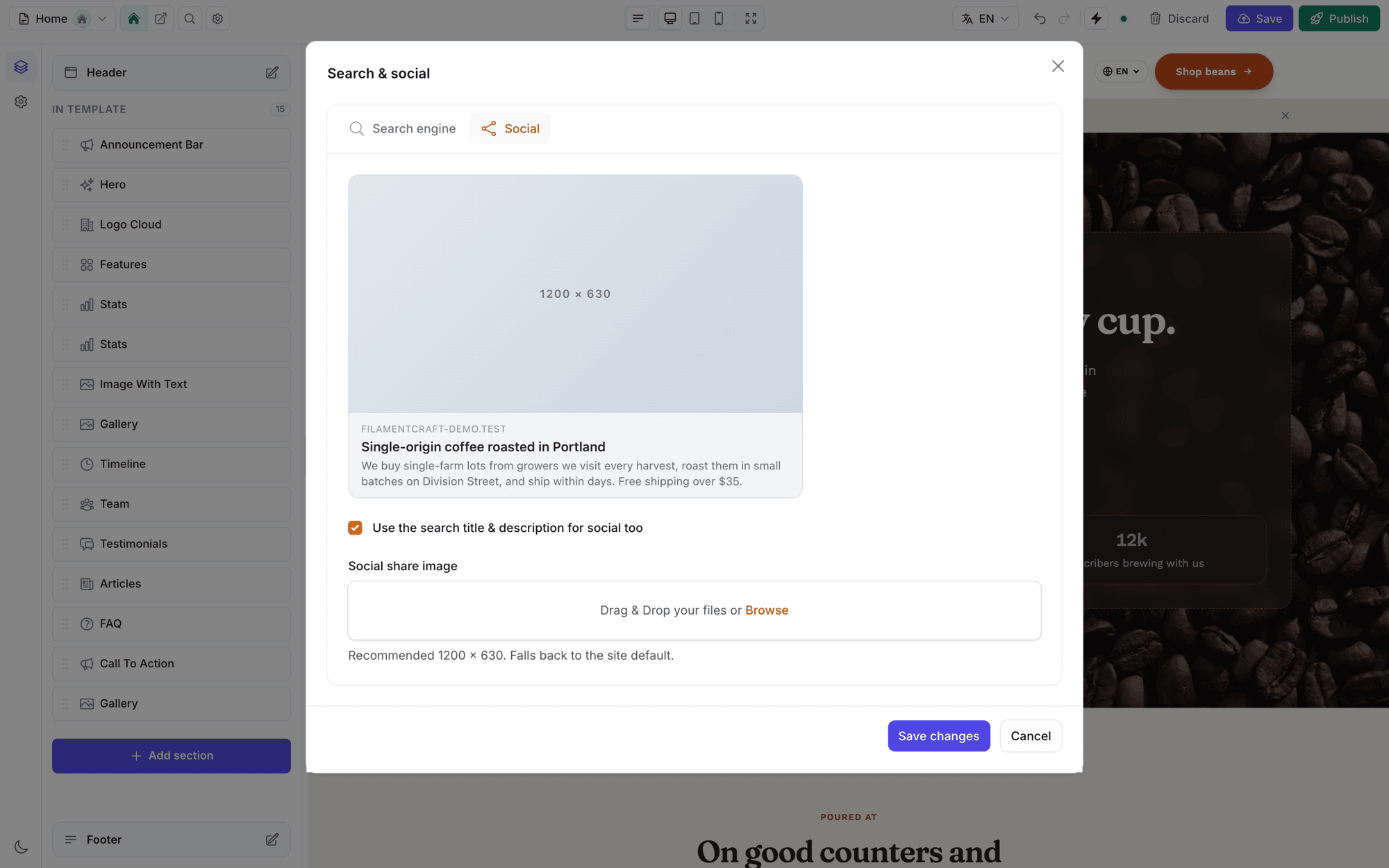
Social shows a share-card preview. By default it reuses the search title and description ("Use the search title & description for social too"); uncheck it to write dedicated Open Graph copy. Upload a per-page share image or fall back to the site default.
All per-page SEO is stored per locale — translating a page translates its metadata too.
Redirects when a slug changes
Slugs live in Page settings, not the SEO modal — both sit under the same topbar Settings cog. Change a slug there and the form offers "Redirect the old URL to the new one" (checked by default). Accepting it creates a 301 from the old path to the new one, so existing links and search rankings keep working. Chained redirects are collapsed automatically — visitors never make two hops.
Site-wide defaults
Site settings → Search & AI sets the defaults every page inherits:
- Whether to append the site name to page titles
- A default meta description and social share image
- An organisation logo and social profile URLs (these become
sameAslinks in theOrganizationstructured data — the entity signals AI engines weigh heavily) - A site-wide "Allow search engines to index this site" switch — turn it off for staging to add a blanket
noindex
AI crawlers & GEO
The AI crawler policy decides which AI bots may access the site. The presets are built around one distinction: search/answer bots and training bots are separate levers.
- Answer bots (
OAI-SearchBot,ChatGPT-User,PerplexityBot,Claude-SearchBot, and Google's ownGooglebot, which powers AI Overviews) are what put you in AI answers. FilamentCraft never blocks these — blocking them just removes you from AI search. - Training bots (
GPTBot,ClaudeBot,Google-Extended,CCBot, …) feed model training. Blocking them never removes existing citations, so they are the only bots a policy toggles.
| Preset | Effect |
|---|---|
| Maximum AI visibility (default) | Everything allowed except Bytespider (which ignores robots.txt) |
| Protect content from training | Training bots blocked; answer bots still allowed |
| Custom per-bot rules | Tick exactly which training crawlers may access the site |
This renders into robots.txt for you. Two more toggles live here: Publish llms.txt and Submit new pages to IndexNow.
Public files
When public routing is enabled, FilamentCraft serves these per site:
| Path | What it is |
|---|---|
/sitemap.xml | Published, indexable pages with honest lastmod. On a multi-language site every language URL is its own entry with inline hreflang alternates, judged by that language's own Indexable setting — a language marked noindex is left out and never listed as an alternate. No priority/changefreq (Google ignores them). With a custom locale URL resolver the inline alternates are omitted (the resolver is request-bound) — the per-page hreflang tags carry the correct URLs instead. |
/robots.txt | The AI-crawler policy plus a Sitemap: line |
/llms.txt | An llmstxt.org index of your pages |
/{key}.txt | The IndexNow verification key |
Delete the stock public/robots.txt
A fresh Laravel app ships a static public/robots.txt. Your web server serves that file before the request ever reaches Laravel, so it silently shadows FilamentCraft's dynamic /robots.txt (and a stray public/sitemap.xml would shadow the sitemap the same way). Delete those static files so the per-site, AI-crawler-aware versions take effect.
Each can be turned off in config:
php
// config/filamentcraft.php
'seo' => [
    'sitemap' => true,
    'robots_txt' => true,
    'llms_txt' => true,
    'indexnow' => ['enabled' => true, 'endpoint' => 'https://api.indexnow.org/indexnow'],
],
IndexNow submits each page to Bing, Yandex, Naver and Seznam the moment it's published — and Bing's index feeds ChatGPT Search and Copilot. Google does not consume IndexNow, so it complements the sitemap rather than replacing it. It's fire-and-forget: it never blocks a publish and skips non-public hosts (a local publish is a no-op).
An honest note on llms.txt
As of 2026 no major AI provider has committed to reading llms.txt, and most files in the wild get zero AI requests. It ships because it is cheap and harmless — not because it is a proven ranking lever. Your server-rendered HTML is what AI crawlers actually read.
If public routing is off, the host app owns these paths — FilamentCraft won't register them.
Extending it
Add dynamic URLs to the sitemap (products, articles) with a closure:
phpuse FilamentCraft\Seo\SitemapBuilder; SitemapBuilder::appendUsing(fn ($site) => Product::query() ->get() ->map(fn ($p) => ['loc' => route('products.show', $p), 'lastmod' => $p->updated_at->toAtomString()]));Override or add head tags by pushing to the
fc-headstack from any page that wraps the layout — your pushes render after FilamentCraft's tags, so they win.Point canonicals at your own routing by registering a
PublicUrlResolverclosure — the canonical URL,og:url, and sitemap entries all follow it.
Diagnostics
php artisan filamentcraft:doctor audits SEO too: pages missing a description, duplicate titles, missing default share images, staging sites set to noindex, and whether the public SEO files are being served.