
Appearance
Regions: Header & Footer
Regions are site-wide section groups pinned around every template — the header above each page, the footer below it. Unlike page sections, which belong to a single template and go through draft → publish revisions, a region is stored once per site and shows up on every page the moment you save it.
A region is a stack, not a single block: add as many sections to it as you need — an announcement bar plus navigation in the header, a newsletter signup plus link columns in the footer — all composed from the same section catalog you use on pages.
| Page sections | Regions | |
|---|---|---|
| Scope | One template | The whole site |
| Versioning | Draft + published revisions | Single stored state |
| Publish step | Save, then Publish | Save applies immediately |
| Edited from | The default editor view | The pinned Header / Footer entries |
How pinning works
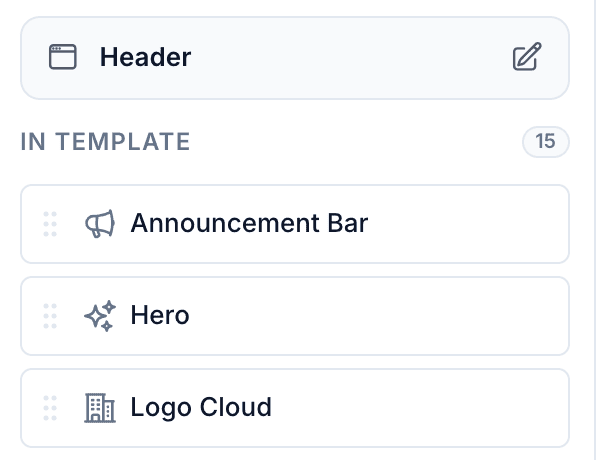
The editor's left rail pins an edit entry for each enabled region around the page's own sections:
- Regions placed above the body (
header,announcement) are pinned at the top of the rail. - Regions placed below the body (
footer) are pinned at the bottom.
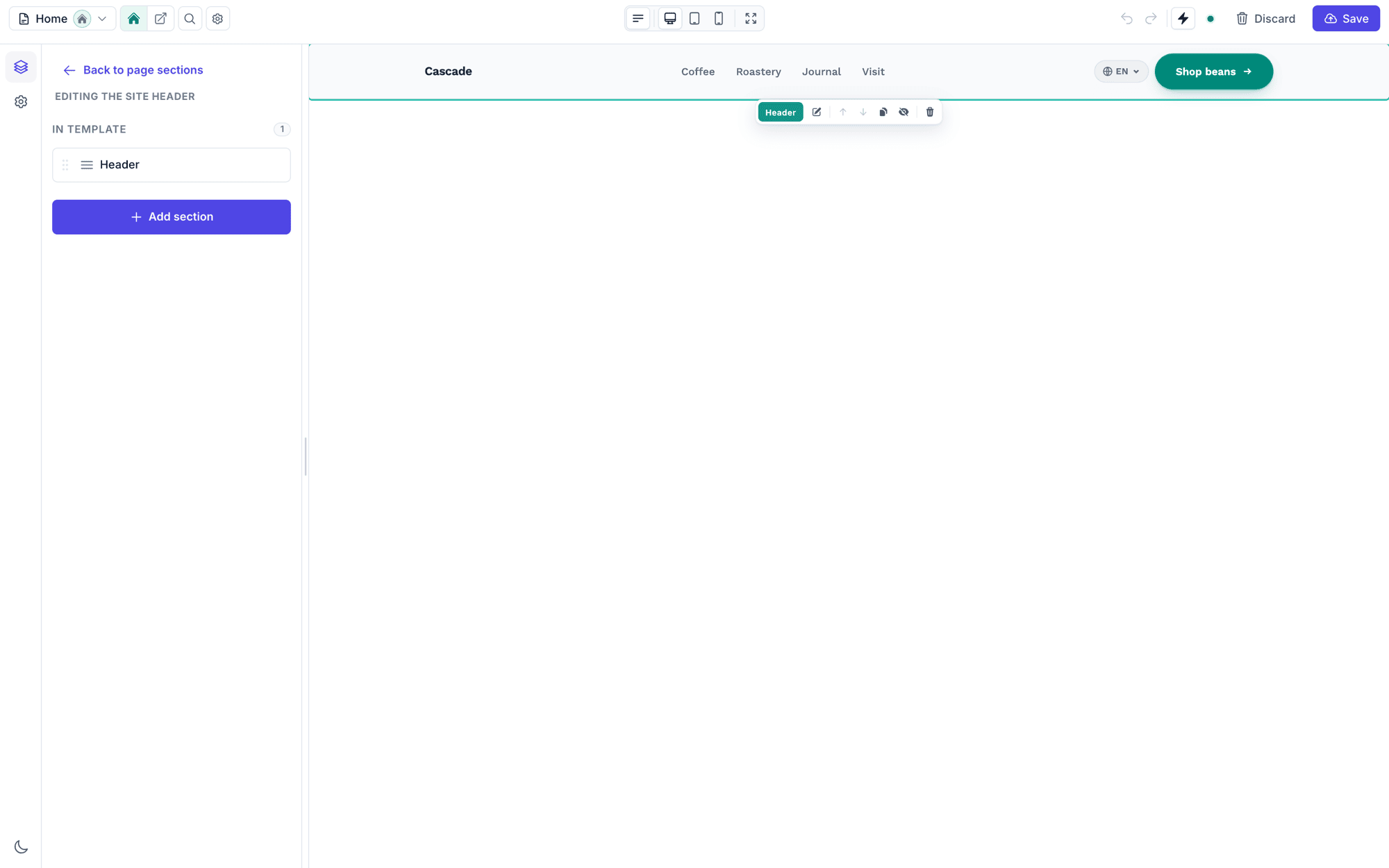
Clicking a pinned entry switches the whole editor into region mode: the canvas shows just that region on the site's real theme tokens, the section rail edits the region's sections, and Save writes straight to the region (there is no separate Publish — regions have no revisions). A "Back to page sections" link returns to the template you came from.
Region mode still buffers your edits in a draft until you hit Save — nothing touches the database while you experiment — and it keeps its own undo/redo stack, separate from any page's. Saving (or discarding) clears both the draft and the stack.
Regions are per-locale
On a multi-locale site each locale gets its own header, footer, and announcement bar. The same locale switcher that scopes page editing also scopes region editing — switch locale, edit that locale's header, and the others stay untouched. A locale you haven't translated yet falls back to the default locale's region on the public site, so a partially translated site never renders a blank header. Copy-from-locale and the empty-locale prompts work here exactly as they do on pages.
The placement is fixed per region (a footer is always below the body); which regions exist is yours to configure.
Choosing which regions are pinned
The regions.enabled key in config/filamentcraft.php controls which regions render on the public site and which edit entries are pinned in the editor:
php
'regions' => [
    'enabled' => ['header', 'footer'],
],
Allowed values: announcement, header, footer.
- Order matters — regions sharing a placement render in the order listed. Put
announcementbeforeheaderso the bar sits above the navigation. - Removing a region hides it everywhere: it stops rendering on the public site and its pinned entry disappears from the editor. Stored content is kept, so re-enabling the region brings it back intact.
- A
?region=URL for a disabled region is ignored — the editor falls back to normal page editing.
Enabling the announcement bar
php
'regions' => [
    'enabled' => ['announcement', 'header', 'footer'],
],
This pins an Announcement bar entry above the Header entry in the editor rail and renders its sections above the site header on every page.
Header-only (no footer)
php
'regions' => [
    'enabled' => ['header'],
],
The footer entry disappears from the editor and nothing renders below the page body — useful when the host application owns the footer markup itself.
How regions are stored and rendered
Each region is a row in filamentcraft_regions — one per site per region name — holding a locale-bucketed {version, locales: {<code>: {order, sections}}} payload, the same shape page revisions use. The public renderer resolves the visitor's locale bucket, falling back to the default locale when that bucket is empty. On the public site, the renderer assembles the shell as:
announcement   ┐ regions placed above the body, in config order
header         ┘
{page body}    ← the template's own sections
footer         ← regions placed below the body
Custom dynamic pages built with the <x-filamentcraft::layout> component get the same enabled regions automatically — header, footer, and announcement wrap whatever you put in the slot.
Any section type can live in a region; the same catalog, settings, and live-preview behaviour apply as on a page. Saving a region flushes the site's fragment cache, so the change is visible on the live site immediately.
Upgrading from a pre-1.24 install
Regions used to store a single flat {order, sections} payload. Upgrading publishes a migration that wraps each region's existing content into its site's default-locale bucket:
bash
composer update filamentcraft/filamentcraft
php artisan vendor:publish --tag=filamentcraft-migrations
php artisan migrate
The renderer tolerates an un-migrated region (it renders as the default locale), so a site that updates the package but delays the migration keeps working. Run php artisan filamentcraft:doctor to list any regions still on the legacy shape.
Next steps
- The Editor — the full editor workspace tour.
- Seeding & Blueprints — pre-fill region content (header, footer) when provisioning starter sites for new tenants.
- Dynamic Pages — reusing the shell (with regions) on custom routes.
- Custom Sections — building section types you can drop into a header or footer.