
Appearance
Setting Types
Every editable control in FilamentCraft — whether it lives in a section's settings panel or a theme's template-settings panel — is declared with a small PHP DSL. Each control is a Setting subclass under FilamentCraft\Settings\Types, instantiated with a make('id') call and configured fluently:
php
use FilamentCraft\Settings\Types\Text;

Text::make('heading')
    ->label('Heading')
    ->default('Welcome')
    ->required();
The editor compiles each Setting into a real Filament v4 form component at runtime, so the inputs you get are the same fields Filament renders everywhere else, wired up for FilamentCraft's live-preview bus.
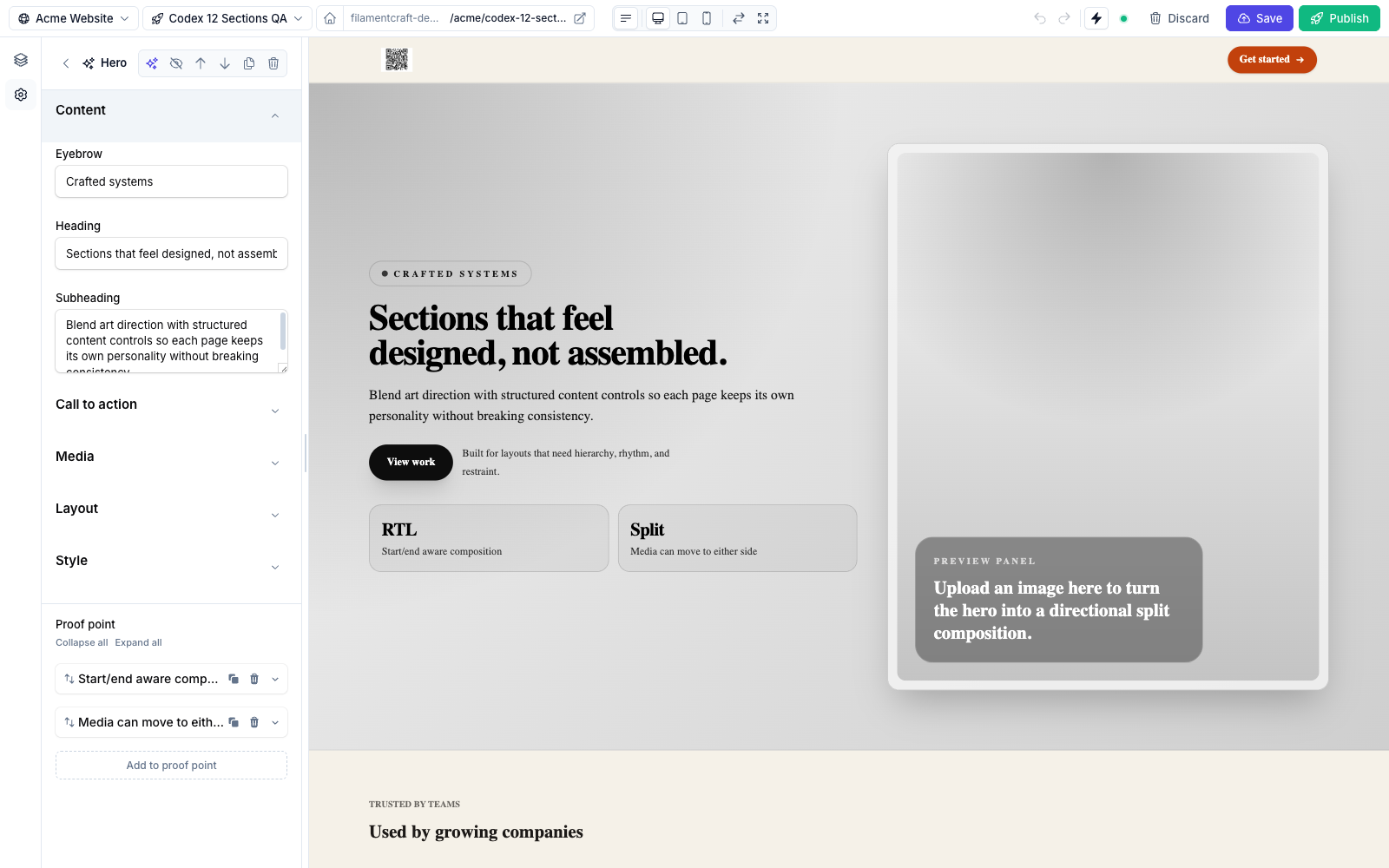
Setting declaration, grouped with Group dividers.The 20 built-in types
| Type | Class | Page |
|---|---|---|
| Text | Text | Text inputs |
| Textarea | Textarea | Text inputs |
| Number | Number | Text inputs |
| Range | Range | Text inputs |
| Select | Select | Choice inputs |
| Radio | Radio | Choice inputs |
| Checkbox | Checkbox | Choice inputs |
| Enum buttons | EnumButtons | Choice inputs |
| Color | Color | Color inputs |
| Gradient | Gradient | Color inputs |
| Color scheme | ColorScheme | Color inputs |
| Color scheme group | ColorSchemeGroup | Color inputs |
| Font | Font | Font picker |
| Image | Image | Media & content |
| Icon | Icon | Media & content |
| Link | Link | Media & content |
| Rich text | RichText | Media & content |
| Spacing | Spacing | Layout & structure |
| Group | Group | Layout & structure |
| Category | Category | Layout & structure |
Shared API (every type)
All setting types inherit the same base methods from FilamentCraft\Settings\Setting:
| Method | Purpose |
|---|---|
make(string $id) | Construct the setting. The id must match /^[a-z0-9_][a-z0-9_-]*$/i. |
label(string $label) | The field label shown in the editor. |
default(mixed $value) | The value used until the user changes it. |
info(string $text) | Helper text rendered under the field. On Group / Category it doubles as the description. |
helperText(string $text) | Filament-familiar alias of info(). |
required(bool $value = true) | Mark the field required. |
visibleIf(array $predicates) | Show the field only when other fields match — e.g. ->visibleIf(['cta_enabled' => true]). |
cssVar(string $name, ?string $unit = null) | Theme settings only. Bind the value to a CSS custom property in <style id="fc-tokens">. The optional unit is appended to numeric values. |
cssVar() is what makes a theme setting themeable: the resolved value is written to :root as a CSS variable that your section Blade and theme CSS can read. See Theme Authoring for the full token pipeline.
cssVar() does nothing on a section setting
Only theme settings are compiled into the token stylesheet. Calling cssVar() on a setting in a section schema is silently ignored — no variable is emitted, and no error is raised. If you need a section-local value in CSS, write it as an inline style in the section's Blade.
php
Range::make('button_radius')
    ->cssVar('--button-radius', 'px')
    ->min(0)->max(24)->default(8);
// emits:  --button-radius: 8px;
Live-update behaviour
When a setting changes in the editor, FilamentCraft pushes the change to the preview iframe. The SchemaCompiler chooses one of two Livewire live modes per type — you never configure this, it is automatic:
- Instant
live()— fires on every change. Used for discrete, one-click inputs:Checkbox,Radio,EnumButtons,Select,ColorScheme,ColorSchemeGroup,Font,Icon,Spacing,Gradient. - Lazy
live(onBlur: true)— defers the round-trip until the field loses focus. Used for typed/dragged/uploaded inputs where a half-finished value shouldn't trigger a re-render:Text,Textarea,Number,Range,Color,Image,Link,RichText.
The lazy mode matters most for RichText: Filament v4's TipTap editor throws if the surrounding DOM is morphed mid-keystroke, so the round-trip is deferred to blur.
Spacing and Gradient are instant, but they add a second layer on top: both are custom Alpine fields that update a local preview immediately and throttle the $wire commit to ~350 ms after you stop dragging, so a slider sweep doesn't fire a request per pixel. Because their stored value is an object rather than a scalar bound to a data-fc-live target, that commit triggers a section refresh rather than an in-place text patch.
Reading values in your views
Inside a section view, $data->settings is a SettingsValues bag:
php
$settings->get('heading');             // value, falling back to the schema default
$settings->get('heading', 'Hi');       // explicit fallback (wins when no schema default)
$settings->heading;                    // property shorthand for get()
$settings->has('cta_url');
$settings->only('heading', 'body');    // variadic, not an array
$settings->except('heading');          // the inverse
$settings->filter(fn ($v) => $v !== null);
$settings->whereStartsWith('social_'); // all settings whose id starts with a prefix
$settings->toArray();                  // raw stored state — see the note below
The bag is Countable and iterable. Iterating yields transformed values — the same value objects get() hands back. toArray() is the exception: it returns the raw stored state, so an image comes back as its stored path rather than an ImageValue.
Structured types return value objects, not scalars — all of them are Stringable, so echoing one in Blade still prints a sensible string, but each exposes richer accessors:
| Type | Returns | Highlights |
|---|---|---|
Color | ColorValue | ->hex, ->alpha, ->rgba() |
Gradient | GradientValue | see Color inputs |
ColorScheme | ColorSchemeValue | ->attributes(), ->token(), ->background(), ->classes() |
Font | FontValue | ->cssFamily() |
Link | LinkValue | ->href, ->label, ->external, ->target — unsafe schemes stripped |
Image | ImageValue | ->url, ->alt, ->srcset() — see Image Uploads |
RichText | RichTextValue | ->toHtml(), ->isEmpty() |
Spacing | SpacingValue | ->css(), unit-suffixed ->top() … |
Where settings are used
- In a section — return them from the static
settings()method. See Custom Sections. Section settings can also mix in any raw Filament v4/v5 component (Repeater,KeyValue,Toggle,FileUpload, your own custom fields…) alongside the DSL — the compiler wires live preview and field indexing for them automatically. See Using Raw Filament Components. - In a theme — return them from
settingsSchema(), usually wrapped inCategorygroups. See Theme Authoring.