
Appearance
Media & Content Inputs
Four types handle media and rich content: Image, Icon, Link, and RichText. These store structured values you read in your section Blade, rather than CSS tokens.
Image
A file upload, compiled to a Filament FileUpload()->image() with the built-in image editor. Uses the lazy live(onBlur: true) update mode.
php
use FilamentCraft\Settings\Types\Image;

Image::make('bg_image')
    ->label('Background image')
    ->disk('public')
    ->directory('sections')
    ->visibility('public')
    ->accept(['image/png', 'image/jpeg', 'image/webp'])
    ->maxSize(4096)
    ->editor()
    ->aspectRatios([null, '16:9', '4:3', '1:1'])
    ->editorMode(2)
->editorEmptyFillColor('#000000');| Method | Effect |
|---|---|
disk(string $disk) | Storage disk. Defaults to the package upload config. |
directory(string $directory) | Upload sub-directory. |
visibility(string $visibility) | public or private. |
accept(array $accept) | Allowed MIME types (default ['image/*']). |
maxSize(int $kilobytes) | Max upload size in KB (falls back to filamentcraft.uploads.max_size_kb, default 20480). |
editor(bool $editor = true) | Enable Filament's in-browser image editor. |
aspectRatios(array $ratios) | Crop ratios offered in the editor (default [null, '16:9', '4:3', '1:1']). |
editorMode(int $mode) | Filament image-editor mode (default 2). |
editorEmptyFillColor(string $color) | Fill color for transparent areas (default #000000). |
alt(bool $alt = true) | Render the alt-text field under the upload (default true). Pass false for decorative images. |
altLabel(string $label) | Replace the field's label. |
altInfo(string $info) | Replace the hint under the field. |
Alternative text
Every Image shows an Alternative text field under the upload, so the person filling the page describes the picture they chose. The value is stored per locale in the sibling key {id}_alt and reaches the renderer on the image value itself — nothing to wire up in your Blade:
blade
<x-filamentcraft::image :image="$settings->image('photo')" :alt="$name" class="fc-team__photo" />The :alt you pass is the fallback. An author-written value wins; your derived text is used only until someone fills the field in. Turn the field off for images that carry no meaning of their own — a background wash, a decorative flourish — and pass decorative at the call site so the renderer emits alt="" deliberately rather than by accident:
php
Image::make('bg_image')->label('Background image')->alt(false);blade
<x-filamentcraft::image :image="$settings->image('bg_image')" decorative />The component also handles the loading hints: images are loading="lazy" decoding="async" by default, and :eager marks the one above the fold, which pairs loading="eager" with fetchpriority="high" so the largest paint is not queued behind the rest of the page.
Every upload also joins the site's media library, and the Media library button beside the field picks an image that is already there.
For how stored image values resolve to URLs and resized variants at render time, see Image Uploads & Variants.
Icon
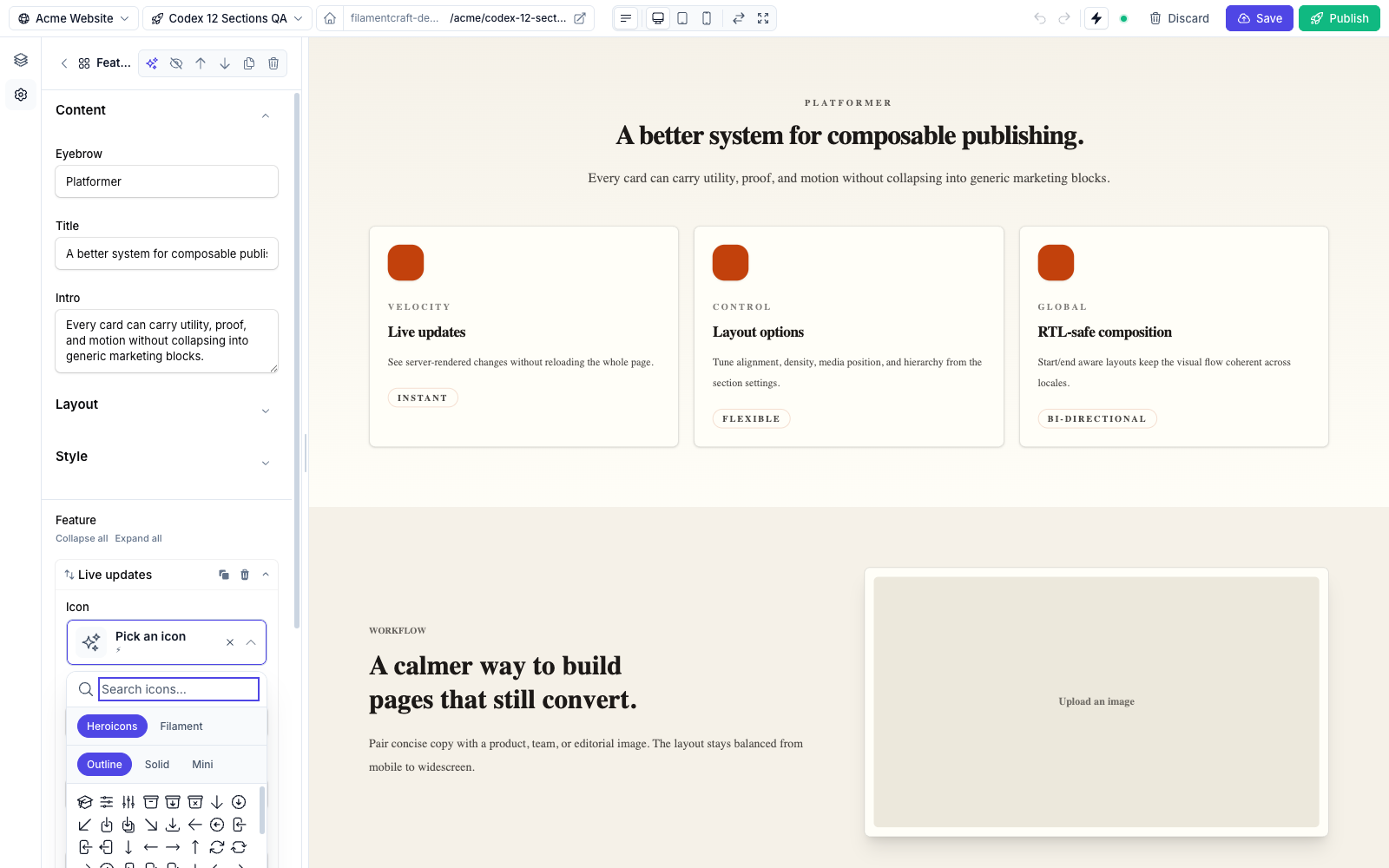
Icon picker — searchable, with Heroicons / Filament sets and Outline / Solid / Mini variants.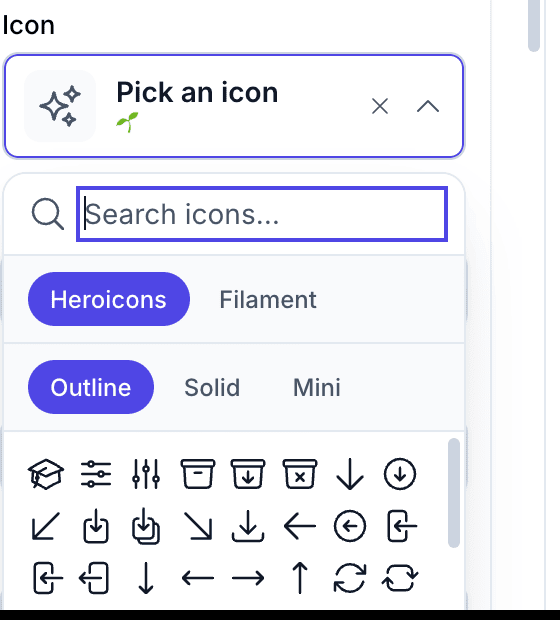
An icon picker, compiled to FilamentCraft's IconPicker. Uses the instant live() update mode. Defaults to the Heroicons set.
php
use FilamentCraft\Settings\Types\Icon;

Icon::make('icon')
    ->label('Icon')
->set('heroicons');| Method | Effect |
|---|---|
set(string $set) | Restrict to a specific icon set. '' or 'heroicons' uses the default; any other value scopes the picker to that registered set. |
See Icons for registering additional sets.
Link
A URL input, compiled to a TextInput()->url(). Uses the lazy live(onBlur: true) update mode. It takes no extra configuration beyond the shared methods.
php
use FilamentCraft\Settings\Types\Link;

Link::make('cta_url')
    ->label('Button link')
    ->default('/start');
Reading the setting back gives you a LinkValue (or null) — Stringable ({{ $link }} emits the href), with ->href, ->label, ->target, and ->external (auto-detected for http:// / https:// / // hrefs unless stored explicitly):
blade
@php($cta = $section->settings->get('cta_url'))
@if ($cta)
  <a href="{{ $cta }}" @if ($cta->external) rel="noopener" target="_blank" @endif>Start</a>
@endif
Hrefs are sanitised
javascript:, data:, vbscript:, and file: hrefs (including encoded evasions) are rejected at read time — the whole setting resolves to null, so a stored XSS payload never reaches your Blade.
Template-aware links
For CTAs that should point at one of your published FilamentCraft pages, the Hero section uses TemplateUrlPicker — a Select subclass that searches published templates and stores their resolved public URL. It's a raw Filament component, droppable into any section schema.
Rich text
A WYSIWYG editor, compiled to Filament's RichEditor (TipTap/ProseMirror). The editor stores Filament's rich-content document state; when you read the setting in a section, FilamentCraft transforms it into a RichTextValue whose string form is rendered HTML.
php
use FilamentCraft\Settings\Types\RichText;

RichText::make('body')
->label('Body');| Method | Effect |
|---|---|
inline(bool $value = true) | Drop the block-level tools, leaving an inline toolbar (bold, italic, underline, strike, link). |
Use inline() for short one-line-ish fields — an eyebrow, a caption — where headings, lists, and tables would be out of place:
php
RichText::make('eyebrow')->inline();RichTextValue is Htmlable and Stringable — {{ $section->settings->get('body') }} emits the rendered HTML — and adds toHtml() plus isEmpty(), which is true when the document has no text content (tags stripped):
blade
@php($body = $section->settings->get('body'))
@if ($body && ! $body->isEmpty())
  <div class="prose">{{ $body }}</div>
@endif
RichText is forced into the lazy live(onBlur: true) mode for a reason: the TipTap bubble menu throws if Livewire morphs the surrounding DOM mid-keystroke, so the preview round-trip is deferred until you click away. You don't configure this — it's automatic.