
Appearance
Theme Authoring
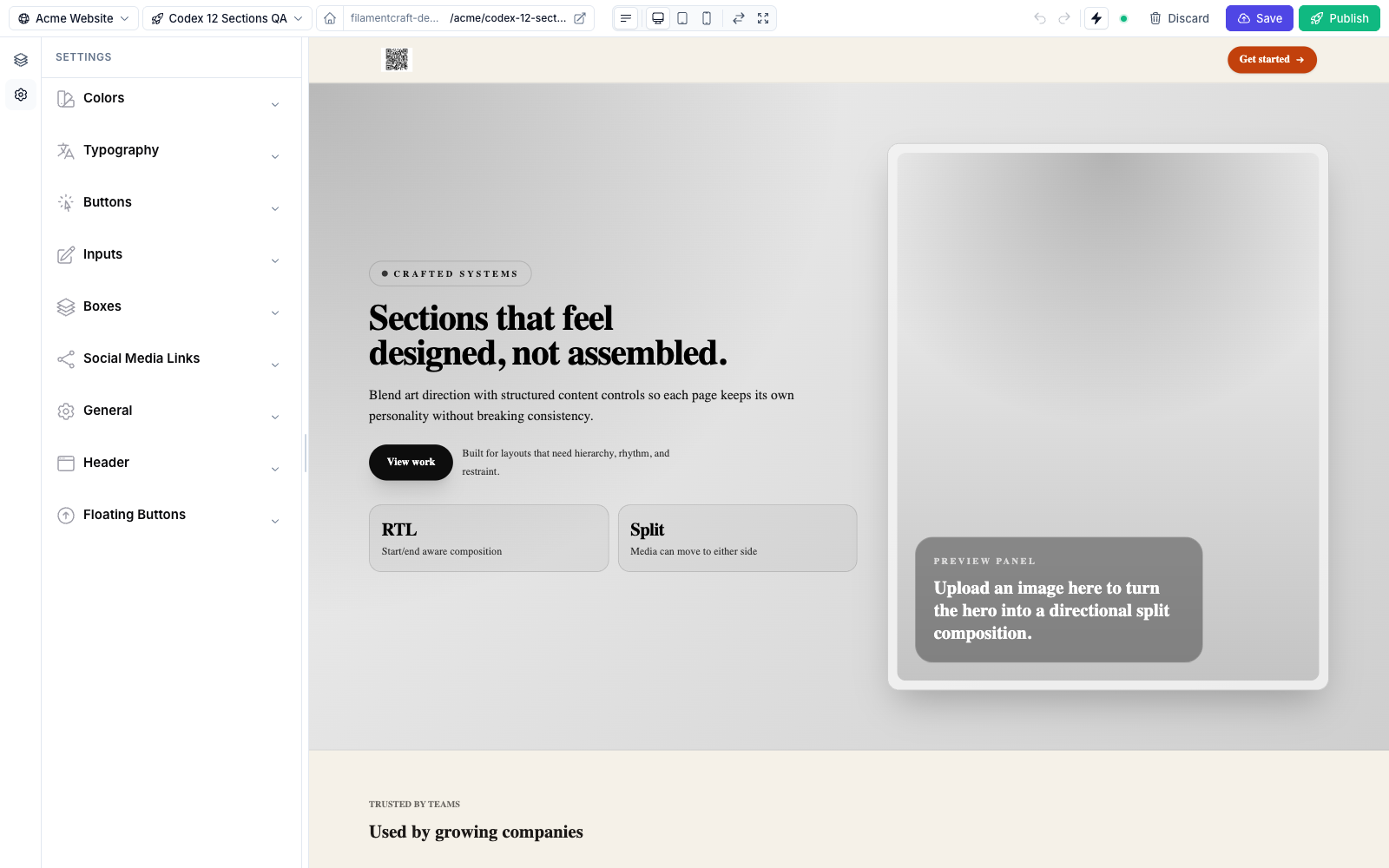
A FilamentCraft theme is one PHP class that declares the settings panel your end-users see in the editor — Colors, Typography, Buttons, Inputs, Boxes, and anything else you want to expose. The package ships one default theme (StudioTheme) with a 9-category panel. Custom themes coexist alongside it or replace it entirely.
On this page vs. its siblings
| Page | Covers |
|---|---|
| Theme Authoring (here) | Create a theme class, register it, and consume its CSS variables. |
| Color Schemes | The ColorSchemeGroup system — 14 built-in schemes, OkLch shades, per-site persistence. |
| Live Preview | How edits patch the iframe, live-update modes, and where values are stored. |
| Setting Types | Every input you can place in a theme schema. |
1. Create the theme class
Scaffold it with the make command:
bash
php artisan make:filamentcraft-theme AcmeThe command accepts --slug=, --namespace=App\Themes, --path=app/Themes, and --force, and defaults to app/Themes/AcmeTheme.php. Or write the class by hand — extend AbstractTheme. A theme's settingsSchema() returns top-level Category groups, each holding setting types:
php
<?php

namespace App\Themes;

use FilamentCraft\Settings\Types\Category;
use FilamentCraft\Settings\Types\Checkbox;
use FilamentCraft\Settings\Types\ColorSchemeGroup;
use FilamentCraft\Settings\Types\Font;
use FilamentCraft\Settings\Types\Range;
use FilamentCraft\Theming\AbstractTheme;

final class AcmeTheme extends AbstractTheme
{
    public function slug(): string
    {
        return 'acme';
    }

    public function name(): string
    {
        return 'Acme';
    }

    public function settingsSchema(): array
    {
        return [
            Category::make('colors')
                ->label('Colors')
                ->icon('heroicon-o-swatch')
                ->collapsed(false) // open by default; categories are collapsed otherwise
                ->settings([
                    ColorSchemeGroup::make('color_scheme')->default('light'),
                ]),

            Category::make('typography')
                ->label('Typography')
                ->icon('heroicon-o-language')
                ->settings([
                    Font::make('default_font')->cssVar('--font-default')->default('inter'),
                    Font::make('heading_font')
                        ->cssVar('--font-heading')
                        ->onlyCategory(['display', 'serif'])
                        ->default('playfair-display'),
                    Range::make('body_size')
                        ->cssVar('--font-body-size', 'px')
                        ->unit('px')->min(12)->max(20)->default(16),
                ]),

            Category::make('buttons')
                ->label('Buttons')
                ->icon('heroicon-o-cursor-arrow-rays')
                ->settings([
                    Range::make('button_radius')
                        ->cssVar('--button-radius', 'px')
                        ->unit('px')->min(0)->max(24)->default(8),
                    Checkbox::make('button_uppercase')
                        ->cssVar('--button-text-transform')
                        ->cssValues('uppercase', 'none')
                        ->default(false),
                ]),
        ];
    }
}
AbstractTheme also gives you optional overrides: description(), previewImage(), stylesheets(), and scripts().
stylesheets() and scripts() return URLs injected into every rendered page's <head> — on the storefront and in the editor preview. This is the place for bespoke brand CSS the theme settings can't express (custom button treatments, etc.):
php
public function stylesheets(): array
{
    return [asset('css/acme-brand.css')];
}
For a full agency design-system lock (allowed fonts, approved palette, hidden schemes), see the Brand Kit.
2. Register it
Two equivalent ways — pick whichever fits your setup.
A. Via config/filamentcraft.php (recommended — works for panel routes and public preview/site routes):
php
'themes' => [
    'builtin_enabled' => true,    // ship StudioTheme alongside; set false to replace it
    'register' => [
        \App\Themes\AcmeTheme::class,
    ],
],
B. Via the plugin's fluent API (panel-only — for themes that should render only inside Filament admin, not on public pages):
php
use FilamentCraft\FilamentCraftPlugin;

public function panel(Panel $panel): Panel
{
    return $panel->plugin(
        FilamentCraftPlugin::make()
            ->registerTheme(\App\Themes\AcmeTheme::class)
            ->withoutBuiltinThemes() // optional — drop StudioTheme so only Acme appears
    );
}
registerThemes([...]) registers several classes at once, and ->theme('acme') sets the plugin's default theme slug (validated at boot — the slug must belong to a registered theme).
Then make sure a Theme Eloquent row exists whose slug matches ('acme'). The sync command creates one (Theme::firstOrCreate) for every registered class that lacks a row:
bash
php artisan filamentcraft:sync-themesOr create it yourself in a seeder:
php
use FilamentCraft\Models\Theme;

Theme::create(['slug' => 'acme', 'name' => 'Acme', 'tokens_json' => []]);
Finally assign your Site to that theme.
Troubleshooting
php artisan filamentcraft:doctor reports registered theme classes missing a DB row and orphan Theme rows whose slug matches no registered class.
3. Consume the variables in your CSS
Every cssVar() declaration is emitted into <style id="fc-tokens"> on :root of the rendered iframe / public page:
css
.btn {
  border-radius: var(--button-radius);
  text-transform: var(--button-text-transform);
  font-size: var(--font-body-size);
  font-family: var(--font-default);
}
If you use Tailwind v4, map them into utility classes via @theme inline so bg-primary, text-on-primary, etc. work in your section blades:
css
@theme inline {
  --font-default: var(--font-default);
  --font-heading: var(--font-heading);
  --color-primary: var(--color-primary);
  --color-primary-50: var(--color-primary-50);
  --color-primary-500: var(--color-primary-500);
  --color-primary-900: var(--color-primary-900);
}
Color variables: the dual namespace
Every color-scheme token is emitted under two names — --fc-color-{token} and --color-{token} (e.g. --fc-color-primary and --color-primary). All built-in sections and the fc-* primitives consume the --fc-color-* namespace; the bare --color-* namespace exists for Tailwind's @theme inline mapping above. The compiler also emits --fc-scheme-current-bg / --fc-scheme-current-fg (aliased as --color-bg / --color-fg) for the resolved background/foreground pair, plus a per-scheme --fc-scheme-{slug}-bg / --fc-scheme-{slug}-fg swatch pair on :root for every scheme.
ColorSchemeGroup automatically emits Tailwind-style 11-step OkLch shades (--color-primary-50…950) for every non-on-* token — and it does this for every scheme, each ramp scoped under that scheme's selector, so bg-primary-600 and hover:bg-primary-700 re-resolve when the scheme switches. The package default scheme is modern (ColorSchemes::DEFAULT_SLUG). The full color system is on the Color Schemes page.
The fc-* primitive layer
The shipped resources/css/site.css includes a token-driven primitive layer the built-in sections are composed from: .fc-card, .fc-glow, .fc-gradient-border, .fc-marquee, .fc-elevate-1/2/3, and friends. All of them read --fc-color-* variables, so your theme's tokens automatically drive them — no extra wiring, and your custom sections can reuse the same classes.
Theme-level scheme overrides
A theme can override or extend the built-in color schemes by storing a map under Theme.tokens_json['schemes'] — ColorSchemes::forTheme() merges it over the package defaults, and per-site overrides merge on top of that.
4. Reading values programmatically
To read or write theme settings outside the editor (migrations, seeds, API endpoints):
php
use FilamentCraft\Support\SiteThemeSettings;

// Read merged values (overrides + schema defaults).
$values = SiteThemeSettings::values($site, $site->theme->templateSettings());

// Replace the site's entire override map with the values that differ from
// their schema defaults. Values equal to the default, null, or '' are dropped.
SiteThemeSettings::sync($site, $schema, ['button_radius' => 12]);
sync() replaces, it doesn't merge
sync() rewrites the whole override map from the $values you pass (only the reserved color_scheme, schemes, and seo keys survive). To change one setting without losing the others, read first and merge: sync($site, $schema, [...SiteThemeSettings::values($site, $schema), 'button_radius' => 12]).
Where these land — and how authored color schemes persist separately — is covered in Live Preview → Persistence.
Reference
- Canonical theme:
src/Theming/Themes/StudioTheme.php— the 9-category default panel. - Theme contract:
FilamentCraft\Theming\ThemeContract(extendAbstractThemefor sensible defaults:description,previewImage,stylesheets,scripts). - Setting base:
FilamentCraft\Settings\Setting—cssVar(),default(),label(),info()(alias:helperText()),required(),visibleIf().